Contents
- 1 Trust Wallet Overview: Mobile-First Web3 Experience
- 2 MetaMask Overview: Browser-Based Web3 Pioneer
- 3 Security and Custody Comparison
- 4 Features and Functionality Breakdown
- 5 User Experience and Interface Design
- 6 Supported Networks and Tokens
- 7 DeFi and NFT Capabilities
- 8 Which Wallet Should You Choose?
- 9 Conclusion
- 10 Frequently Asked Questions
Choosing the right cryptocurrency wallet is crucial for your Web3 journey, especially when deciding between mobile-first and browser-based solutions. Trust Wallet and MetaMask represent two popular approaches to self-custodial cryptocurrency storage, each with distinct advantages for different user needs. While MetaMask pioneered browser-based Web3 access, Trust Wallet delivers a comprehensive mobile-first experience with multi-chain support for over 10 million tokens across 100+ blockchains.
Understanding the differences between Trust Wallet vs MetaMask helps you make an informed decision based on your crypto activities, whether you’re new to digital assets, actively trading DeFi protocols, or collecting NFTs. Both wallets offer self-custodial security where you control your private keys, but their user experiences, feature sets, and platform focuses vary significantly. In this comparison, you’ll discover the key differences in security models, supported blockchains, user interfaces, and additional features that make each wallet unique in the evolving cryptocurrency landscape.
Trust Wallet Overview: Mobile-First Web3 Experience
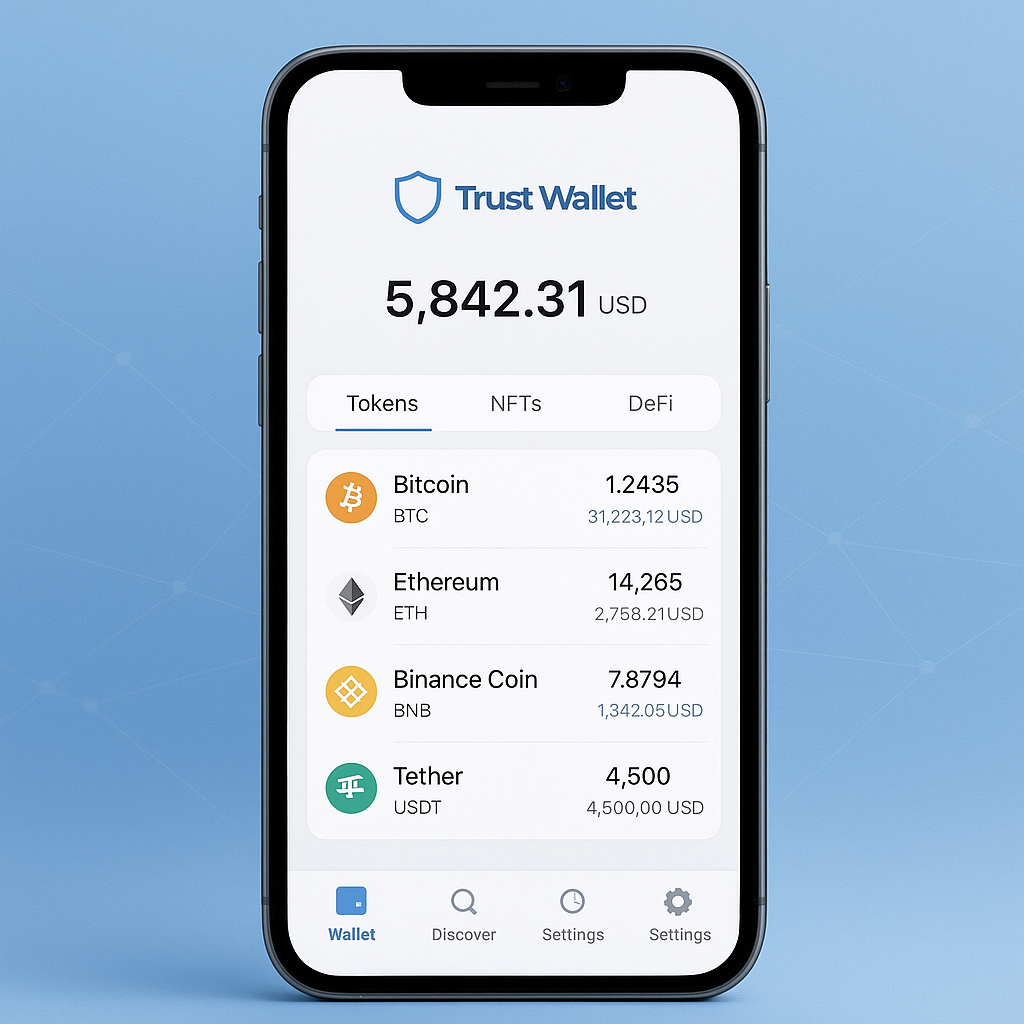
Trust Wallet stands as the official cryptocurrency wallet of Binance, designed from the ground up as a mobile-first solution for Web3 interaction. Launched in 2017 and acquired by Binance in 2018, Trust Wallet has grown to serve millions of users worldwide who prefer managing their digital assets directly from their smartphones. The wallet maintains its open-source nature while providing enterprise-grade security backed by one of the world’s largest cryptocurrency exchanges.
What sets Trust Wallet apart is its comprehensive approach to mobile crypto management. Beyond simple token storage, the app integrates a full DApp browser, NFT gallery, in-app staking capabilities, and direct cryptocurrency purchasing options. This all-in-one design eliminates the need to switch between multiple applications, making it particularly appealing for users who want seamless access to the entire DeFi ecosystem from their mobile device.
The wallet supports an impressive range of blockchains including Bitcoin, Ethereum, Binance Smart Chain, Polygon, Solana, Avalanche, and dozens more. This multi-chain wallet approach allows users to manage diverse cryptocurrency portfolios without needing separate wallets for different networks, significantly simplifying the user experience for both beginners and experienced crypto enthusiasts.
MetaMask Overview: Browser-Based Web3 Pioneer
MetaMask revolutionized Web3 access when it launched in 2016 as a browser extension, becoming the gateway for millions of users to interact with Ethereum-based decentralized applications. Developed by ConsenSys, MetaMask established the standard for how users connect their cryptocurrency wallets to DApps, introducing the now-familiar wallet connection prompts that have become synonymous with Web3 interaction.
Originally focused exclusively on Ethereum, MetaMask has expanded to support multiple Ethereum Virtual Machine (EVM) compatible networks including Polygon, Binance Smart Chain, and Avalanche. While it now offers a mobile app alongside its flagship browser extension, MetaMask’s core strength remains in providing seamless desktop Web3 access through popular browsers like Chrome, Firefox, and Safari.
The wallet’s developer-friendly approach has made it the de facto standard for DApp integration testing and development. Its robust API and extensive documentation have contributed to widespread adoption among Web3 developers, creating a network effect where most Ethereum-based applications prioritize MetaMask compatibility first.
Security and Custody Comparison
Both Trust Wallet and MetaMask implement self-custodial security models, meaning users maintain complete control over their private keys and recovery phrases. Neither platform stores user credentials on centralized servers, ensuring that only wallet holders can access their funds. This fundamental similarity makes both wallets suitable for users who prioritize cryptocurrency self-sovereignty.
Trust Wallet enhances mobile security through biometric authentication options including fingerprint and face recognition, adding convenience without compromising security. The wallet encrypts private keys locally on the device and provides secure backup options for recovery phrases. Being backed by Binance adds an additional layer of trust and resources for security audits and improvements.
MetaMask implements robust browser security measures and regularly undergoes security audits given its widespread adoption in the DeFi space. The browser extension isolates wallet functionality from general web browsing, reducing exposure to malicious websites. However, browser-based wallets face unique security challenges related to phishing attacks and malicious browser extensions.
Both wallets generate standard 12-word recovery phrases following industry best practices, ensuring users can restore their wallets across different platforms if needed. The key difference lies in the attack vectors: mobile wallets like Trust Wallet face risks from device theft and malicious apps, while browser extensions like MetaMask are more susceptible to web-based attacks and browser vulnerabilities.
Features and Functionality Breakdown
Trust Wallet delivers a comprehensive mobile crypto experience with features designed for everyday use. The integrated DApp browser supports thousands of decentralized applications directly within the app, from DeFi protocols to NFT marketplaces. Users can stake supported cryptocurrencies directly through the app, earning rewards without needing external platforms. The built-in crypto purchase feature allows buying cryptocurrency with credit cards, providing an easy on-ramp for new users.
The NFT gallery feature automatically detects and displays collectibles from supported networks, making Trust Wallet particularly appealing for NFT enthusiasts. The multi-wallet functionality allows creating separate wallets for different purposes while managing them all within the same app. WalletConnect integration enables connecting to desktop DApps when needed, bridging the mobile-desktop gap.
MetaMask focuses on providing robust Web3 connectivity with features tailored for active DeFi users and developers. The browser extension offers superior desktop DApp interaction, with more sophisticated transaction management and gas optimization tools. Advanced features include custom RPC endpoints, hardware wallet integration, and detailed transaction history with gas tracking.
MetaMask’s mobile app brings core wallet functionality to smartphones but lacks some advanced features available in the browser extension. The platform excels in network customization, allowing users to easily add custom tokens and networks. Developer tools and debugging features make MetaMask the preferred choice for blockchain developers and power users who need granular control over their Web3 interactions.
User Experience and Interface Design
Trust Wallet prioritizes user-friendly design with an intuitive interface that welcomes cryptocurrency newcomers. The mobile-first approach results in clean, touch-optimized navigation that feels natural on smartphones. Key features are easily accessible from the main dashboard, and the app provides helpful tooltips and guides for new users learning about DeFi and NFTs.
The onboarding process in Trust Wallet emphasizes simplicity while maintaining security best practices. Creating a new wallet takes just a few minutes, with clear instructions for backing up recovery phrases. The app’s design language aligns with modern mobile app standards, making it familiar to users regardless of their cryptocurrency experience level.
MetaMask’s browser extension provides a compact but information-dense interface optimized for desktop use. While this can seem overwhelming to newcomers, experienced users appreciate the detailed transaction information and granular controls. The extension’s popup design maximizes screen space while providing quick access to essential functions.
MetaMask’s mobile app attempts to translate the browser experience to mobile devices but sometimes feels less polished than dedicated mobile wallets. The interface can feel cramped on smaller screens, and some advanced features require multiple taps to access. However, users familiar with the browser extension will find consistent functionality across platforms.
Supported Networks and Tokens
Trust Wallet’s multi-chain approach shines with support for over 100 blockchains and more than 10 million tokens. This includes major networks like Bitcoin, Ethereum, Binance Smart Chain, Polygon, Solana, Avalanche, Fantom, and many others. The wallet automatically detects tokens on supported networks, simplifying portfolio management for users with diverse cryptocurrency holdings.
The extensive network support makes Trust Wallet particularly attractive for users exploring different blockchain ecosystems or participating in cross-chain DeFi protocols. Adding new networks typically requires just selecting from a pre-configured list, making it accessible even for less technical users. The wallet also supports major cryptocurrency standards including ERC-20, BEP-20, TRC-20, and native coins.
MetaMask originally focused on Ethereum but has expanded to support EVM-compatible networks including Polygon, Binance Smart Chain, Avalanche, and Arbitrum. While the network count is lower than Trust Wallet, MetaMask provides deeper integration with supported networks, offering advanced features like custom gas settings and detailed transaction analysis.
Adding custom networks to MetaMask requires manual configuration of RPC endpoints and network parameters, which appeals to technical users but can challenge newcomers. The wallet automatically recognizes ERC-20 tokens but requires manual addition of tokens from other networks. This approach provides more control but demands greater technical knowledge.
DeFi and NFT Capabilities
Trust Wallet integrates DeFi functionality directly into the mobile experience, allowing users to access popular protocols like Uniswap, PancakeSwap, and Compound without leaving the app. The built-in DApp browser supports thousands of decentralized applications, making it easy to explore new DeFi opportunities. In-app staking for supported cryptocurrencies provides passive earning opportunities with competitive rewards.
The NFT gallery automatically displays collectibles from connected wallets, supporting popular standards like ERC-721 and ERC-1155. Users can view NFT metadata, transfer collectibles, and interact with NFT marketplaces directly through the app. The mobile-optimized interface makes browsing and managing NFT collections particularly enjoyable.
MetaMask excels in sophisticated DeFi interactions, particularly for complex protocols requiring multiple transaction steps. The browser extension provides superior gas management tools, allowing users to optimize transaction costs during network congestion. Advanced users appreciate features like transaction simulation and detailed gas analytics.
NFT support in MetaMask focuses on functionality over presentation, with basic viewing capabilities and reliable marketplace integration. While the interface may be less visually appealing than dedicated NFT apps, MetaMask provides robust functionality for serious NFT traders who need reliable transaction execution and detailed interaction logs.
Which Wallet Should You Choose?
Choosing between Trust Wallet vs MetaMask depends on your crypto usage patterns, technical expertise, and platform preferences. Trust Wallet excels for users who prefer mobile-first cryptocurrency management, value simplicity, or want comprehensive multi-chain support in a single app. It’s particularly suitable for cryptocurrency newcomers, casual DeFi users, NFT collectors, and anyone who primarily uses crypto on mobile devices.
Trust Wallet’s best mobile crypto wallet features make it ideal for daily crypto use, from checking portfolio values to participating in DeFi protocols on the go. The extensive blockchain support and user-friendly interface lower barriers to entry while still providing access to advanced Web3 features. Users who appreciate having everything in one app will find Trust Wallet’s comprehensive approach appealing.
MetaMask remains the preferred choice for active DeFi traders, Web3 developers, and users who primarily interact with cryptocurrency on desktop computers. Its deep Ethereum ecosystem integration, advanced transaction management features, and developer-friendly tools make it indispensable for power users. The browser extension’s maturity and widespread DApp compatibility ensure reliable Web3 access.
Many experienced crypto users employ both wallets for different purposes: MetaMask for desktop DeFi activities and complex transactions, Trust Wallet for mobile convenience and multi-chain asset management. This hybrid approach maximizes the strengths of each platform while providing flexibility across different use cases and devices.
Conclusion
The Trust Wallet vs MetaMask comparison reveals two excellent self-custodial wallets serving different niches in the cryptocurrency ecosystem. Trust Wallet delivers an outstanding mobile-first experience with comprehensive multi-chain support, making Web3 accessible and enjoyable for users at every experience level. Its integration of DeFi, NFTs, staking, and cryptocurrency purchasing into a single mobile app creates a seamless Web3 gateway.
MetaMask continues leading browser-based Web3 interaction with sophisticated features for advanced users and developers. Its deep Ethereum integration and extensive DApp compatibility make it essential for serious DeFi participation and Web3 development.
Your choice between these wallets should align with how you interact with cryptocurrency. If you value mobile convenience, multi-chain simplicity, and user-friendly design, Trust Wallet provides the best mobile crypto wallet experience. For desktop-focused DeFi activities and advanced Web3 features, MetaMask remains unmatched.
Ready to experience the simplicity and power of mobile-first Web3? Download Trust Wallet today and discover why millions trust it as their gateway to decentralized finance, NFTs, and the broader cryptocurrency ecosystem. Take control of your digital assets with the security of self-custody and the convenience of mobile access.
Frequently Asked Questions
Is Trust Wallet safer than MetaMask?
Both Trust Wallet and MetaMask are self-custodial wallets with strong security models. Trust Wallet offers mobile-specific security features like biometric authentication, while MetaMask provides robust browser security. Both use industry-standard encryption and never store your private keys on servers, making security levels comparable.
Can I use the same recovery phrase for both wallets?
Yes, both wallets use standard 12-word recovery phrases that are compatible across platforms. You can restore your wallet in either Trust Wallet or MetaMask using the same recovery phrase, though each platform may display different features and supported tokens.
Which wallet supports more cryptocurrencies?
Trust Wallet supports significantly more cryptocurrencies with over 10 million tokens across 100+ blockchains including Bitcoin, Ethereum, Solana, and many others. MetaMask focuses primarily on Ethereum and EVM-compatible networks, supporting fewer total cryptocurrencies but with deeper integration.
Does Trust Wallet have a browser extension like MetaMask?
Trust Wallet recently launched a browser extension, but it’s primarily designed as a mobile wallet. MetaMask started as a browser extension and remains the leader in desktop Web3 access. Trust Wallet excels on mobile while MetaMask dominates desktop usage.
Can I stake cryptocurrencies in both wallets?
Trust Wallet offers built-in staking for numerous cryptocurrencies directly within the app, making it easy to earn rewards. MetaMask doesn’t have built-in staking but connects to external staking platforms through DApp integration. Trust Wallet provides a more streamlined staking experience.
Which wallet is better for NFTs?
Trust Wallet offers a dedicated NFT gallery with automatic detection and mobile-optimized viewing, making it excellent for NFT collectors. MetaMask supports NFTs but with basic functionality focused on transactions rather than viewing. Trust Wallet provides a superior NFT browsing experience.
Are there fees for using Trust Wallet vs MetaMask?
Both wallets are free to download and use. You’ll pay standard network transaction fees (gas fees) when making blockchain transactions, which are the same regardless of which wallet you use. Trust Wallet may charge small fees for in-app services like cryptocurrency purchases.
Can I connect both wallets to the same DApp?
Yes, you can connect different wallets to the same DApp as long as they contain the funds you want to use. Many users maintain both wallets for different purposes. Both support WalletConnect for connecting to DApps, though MetaMask has broader compatibility with desktop applications.
Which wallet is better for beginners?
Trust Wallet is generally more beginner-friendly with its mobile-first design, intuitive interface, and comprehensive tutorials. The app guides new users through wallet creation, backup, and basic features. MetaMask can feel more complex initially but offers extensive documentation for learning Web3 concepts.
Do I need different wallets for different blockchains?
Not necessarily. Trust Wallet supports multiple blockchains natively, including non-EVM chains like Bitcoin and Solana. MetaMask primarily supports EVM-compatible networks. If you use diverse blockchain ecosystems, Trust Wallet’s multi-chain wallet approach eliminates the need for multiple applications.
Can I use both wallets simultaneously?
Absolutely! Many crypto users employ both wallets for different purposes – Trust Wallet for mobile convenience and multi-chain access, MetaMask for desktop DeFi activities. Each wallet operates independently, so you can maintain separate wallets or use the same recovery phrase for both.
Which wallet has better customer support?
Trust Wallet, backed by Binance, offers comprehensive customer support through multiple channels including in-app help, email support, and extensive documentation. MetaMask provides community-driven support, detailed documentation, and ConsenSys backing. Both offer reliable support, with Trust Wallet having more direct customer service options.


Straight to the point, the focus on mobile security. This is exactly what beginners need. Thanks for the detailed explanation! Highly recommend. Great resource. Well done! Well done! Highly recommend.
Good article for valuable information about self-custody that’s hard to find elsewhere. Will keep an eye out for new posts! Well done! Great resource. Highly recommend. Well done! Great resource. Well done!
Straight to the point, especially about NFT gallery. Wasn’t aware of these nuances before. Really appreciate this guide. Highly recommend. Thanks again! Very helpful! Great resource. Great resource. Very helpful!
Bookmarked this, great breakdown of NFT support. Very practical approach. Will follow your recommendations. Thanks again! Thanks again! Great resource. Great resource. Highly recommend. Well done! Very helpful!
Very informative, the explanation of DeFi tools. Made everything much clearer. Perfect resource for this topic. Well done! Very helpful! Great resource. Well done! Great resource. Well done! Very helpful!
Great guide! especially about WalletConnect. Wasn’t aware of these nuances before. Will follow your recommendations. Thanks again! Well done! Well done! Thanks again! Great resource. Thanks again! Very helpful!
Appreciate the detail, great breakdown of mobile security. Very practical approach. Will keep an eye out for new posts! Very helpful! Well done! Thanks again! Thanks again! Great resource. Great resource.
Appreciate the detail, was looking for info about NFT management, found everything here. Information is truly up-to-date. Very helpful! Very helpful! Great resource. Highly recommend. Very helpful! Well done!
Perfect timing, the comparison section was especially helpful and informative. Everything explained clearly. Highly recommend. Well done! Thanks again! Thanks again! Very helpful! Thanks again! Thanks again!
Comprehensive guide, those wanting to understand DApp browser better. Well explained. Highly recommend this resource. Thanks again! Great resource. Great resource. Great resource. Great resource. Great resource.
Exactly what I was looking for, really helped me understand DeFi integration. Now I know how to connect to DeFi. Perfect resource for this topic. Well done! Great resource. Thanks again! Thanks again!
Great guide! was looking for info about Web3 wallet setup, found everything here. Will keep an eye out for new posts! Well done! Well done! Great resource. Well done! Very helpful! Highly recommend. Well done!
Excellent article, the explanation of DeFi tools. Made everything much clearer. Thanks for the detailed explanation! Very helpful! Well done! Great resource. Well done! Great resource. Well done! Great resource.
Very informative, especially about multi-chain support. Wasn’t aware of these nuances before. Author did a great job explaining clearly. Well done! Very helpful! Well done! Great resource. Thanks again!
Just what I needed, helped solve my wallet setup. Recommend to everyone interested. Bookmarked for future reference. Highly recommend. Well done! Highly recommend. Highly recommend. Well done! Highly recommend.